How To Flash Jio F90M Keypad Mobile –
[TWO Methods]
Method01 Flash Jio F90M Using QFIL Flash Tool
Method02 Flash Jio F90M Using Mega fone SW Download tool
Method01 Flash Jio F90M Using QFIL Flash Tool
Remember firmware file or flashing files are same for both flashing method but in this method we are going to use QFIL flash tool. QFIL flash tool is a Qualcomm cpu mobile flashing tool and workis in edl mode. Same as, it required the .mbn format firmware files to flash.
Let’s see how to flash Jio F90 with QFIL flash tool?
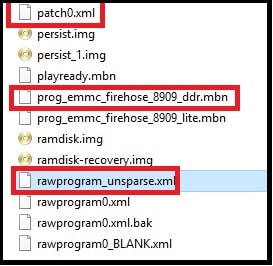
- Download Jio F90M flash file or firmware and extract it on pc. Enter into firmware folder and find below three files. We will use them in next step.
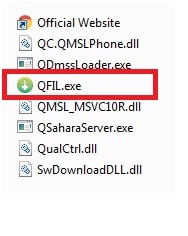
- Now extract the download QFIl flash tool and run QFIL.exe” file as administrator. QFIL qualcomm flash tool will launch on your pc.
If you are using latest QFIL flash tool then select Build type as “Flat Build” in QFIL flash tool. if “build type” section is not available then just ignore it.
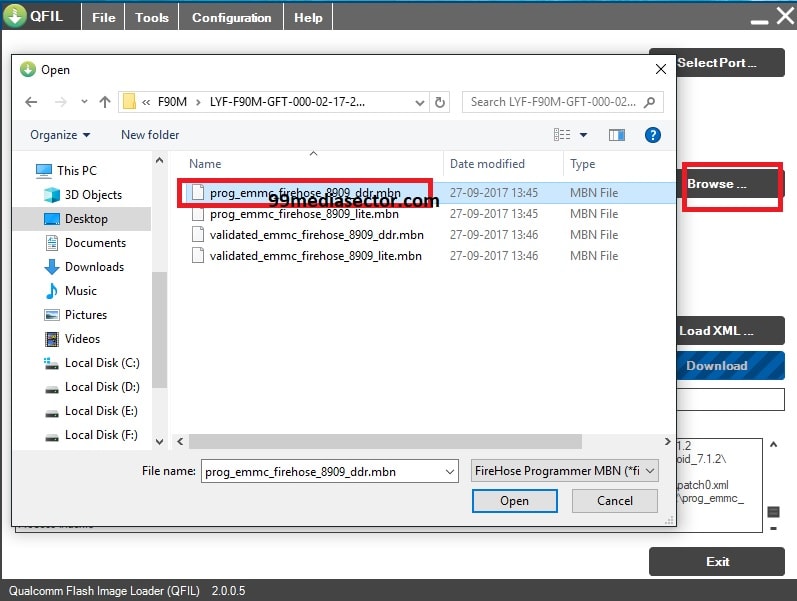
- Click on “Browse”button and browse the prog_emmc_firehose_8909_ddr_.mbn file as shown in below screenshot
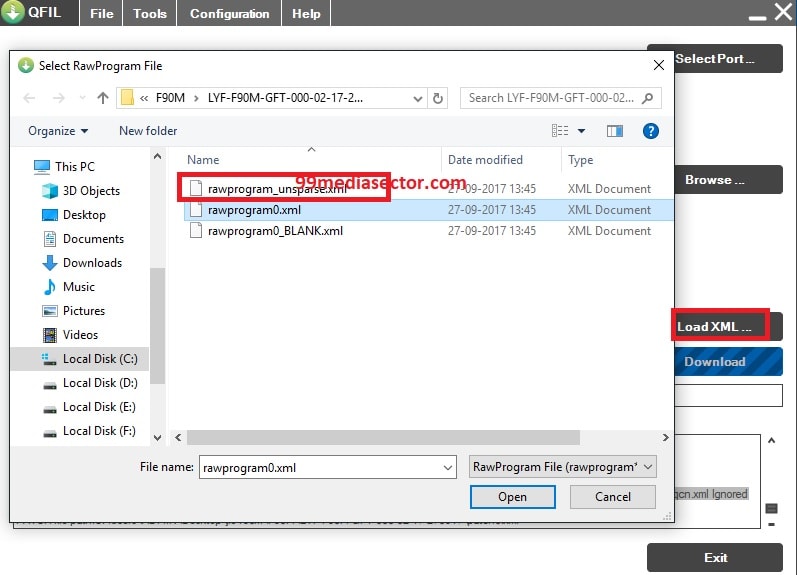
- In next step, click on “Load XML” button and select “rawprogram_unsparse.xml” file from firmware folder.
- Again select “patch0” file

- Now boot device into EDL or Emergency download mode
Power Off device >> Press & Hold Home Key + Insert USB cable quickly
If the device is properly connect with pc it will show “Qualcomm HS USB QDLoader 9008 comport under the “Device Manager >> Ports (COM & LPT) section”
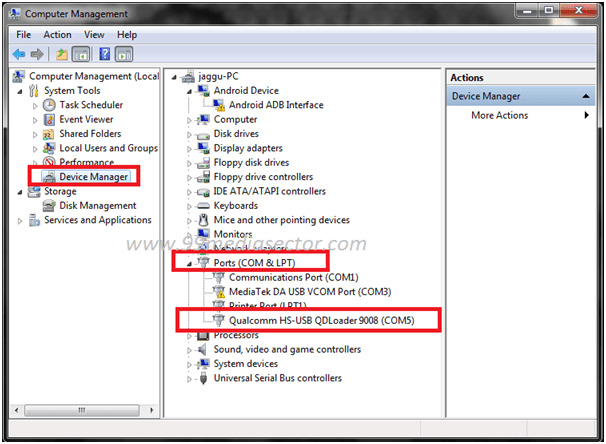
- Navigate to “Select Port” option from top of the tool and select “Qualcomm HS-USB QDLoader 9008” port.
- Once the tool will detect the device, wait to install usb drivers automatically. [try again if it’s failed to detect the device]
- After drivers installation, Click download button to start flashing process.
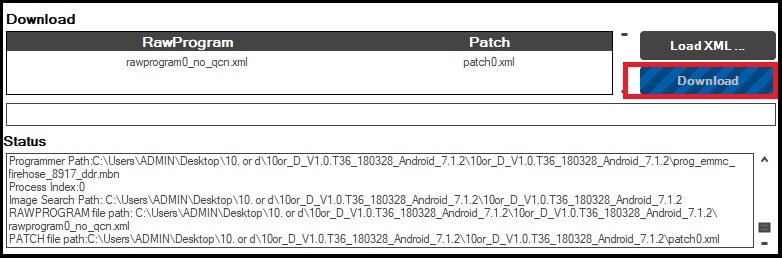
- Flashing may take few minutes to flash firmware and after completing the flashing process, you may see “Flash Successful” message on the screen.
- Unplug the device and reboot it normally.
- All Done!!! you have successfully flashed your bricked Jio F90m mobile.
अगर नहीं होता हे तो अप्पा को २ मठोठ में करना हे भाई
Method02 Flash Jio F90M Using Mega fone SW Download tool
This is an another flash tool to flash qualcomm based jio mobile phone. Above method is an easiest method to flash jio F90M mobile but in case, you have any issue try this flashing method. In this method we are going to use Mega fone SW Download tool.
- Extract the downloaded Jio F90m firmware on pc.
- Extract the downloaded Mega fone SW Download tool zip file on pc and run “Mega foneSWDownload tool.exe” file as administrator.
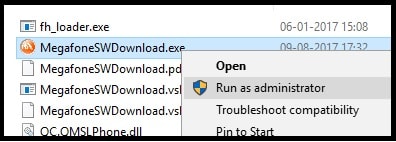
- Now come to device, power off >> press & hold volume up + volume down key together at the same time and attach USB cable.
If the device is properly connect with pc it will show “Qualcomm HS USB QDLoader 9008 comport under the “Device Manager >> Ports (COM & LPT) section”
- Now click on “SearchPath” button from tool and load “prog_emmc_firehose_8909_lite.mbn” file from Jio f90m firmware folder.
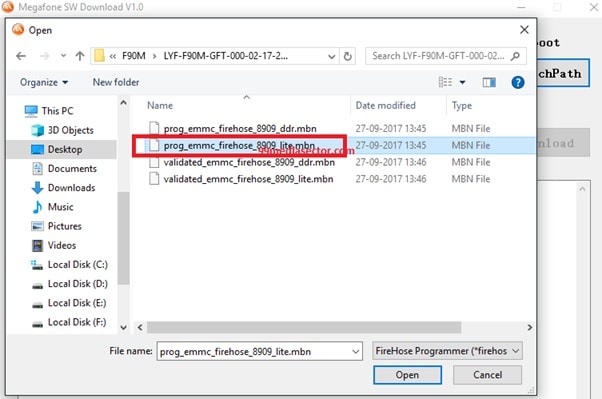
- Finally click on “DOWNLOAD” button to start flashing process. If the device is properly connected with pc, process will start and will take few minutes to flash.

- In case device is not connected into edl mode properly, tool will show below error screen.

- Wait to complete the flashing process for once and you will see the below screen in the end of successful flashing.
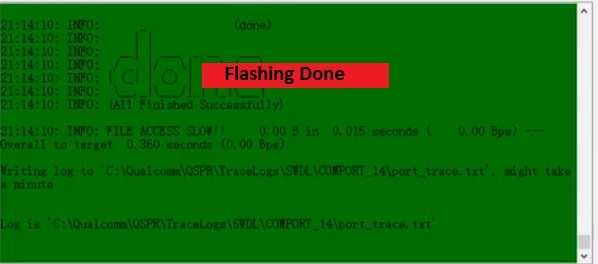
- Unplug the device and reboot it again.
- Done!!!


No comments:
Post a Comment